Features
Seven tools, one record
Everything your sites need to talk, report and prove their work, explained in plain English.
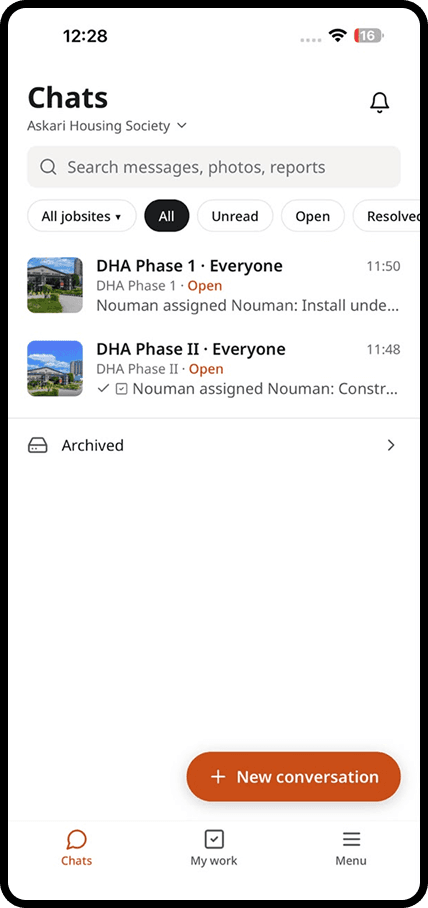
Chat
One conversation for each site and topic
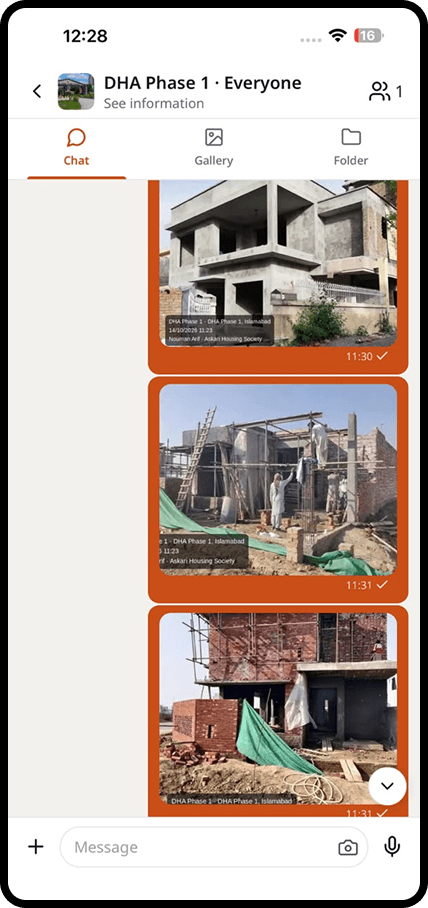
Everything said on a jobsite, kept in one place your whole company can find.
Keep the slab pour, the electrics and the client apart, so nobody scrolls through 300 messages to find one answer.
Crews speak in their own language. Everyone else reads the voice note as text, translated into theirs.
Pin a decision to the top of the conversation so it is never lost in the chat.
Messages and photos are saved on the phone and sent in order when signal comes back.
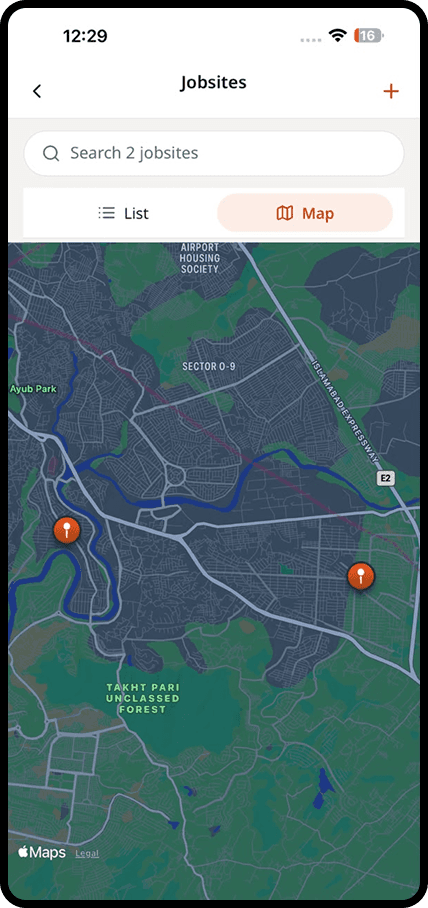
Maps
All your jobsites on one map
See where your crews are working and open any site in one tap.
See every active site at a glance, with how many conversations and photos each one has today.
Each photo carries its location, so you know which building, floor or section it shows.
Tap a site on the map to open its conversations, photos and reports.
Share a site location with someone new, so they arrive at the right gate first time.
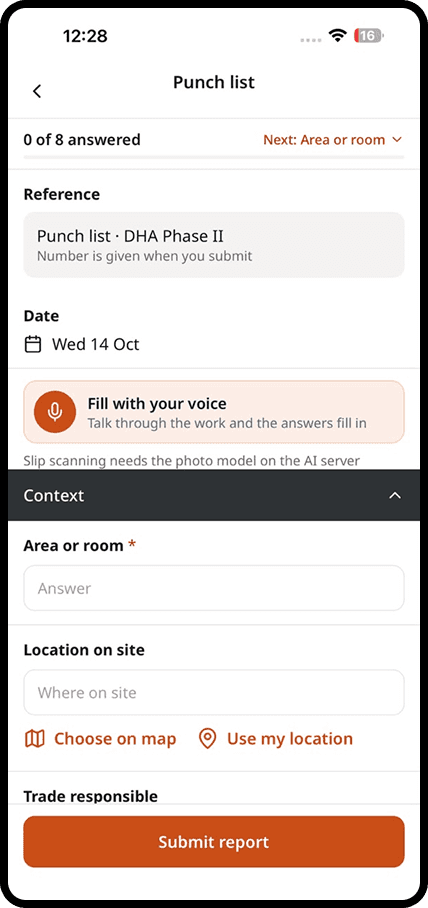
Reports
Reports filled on site and signed on the phone
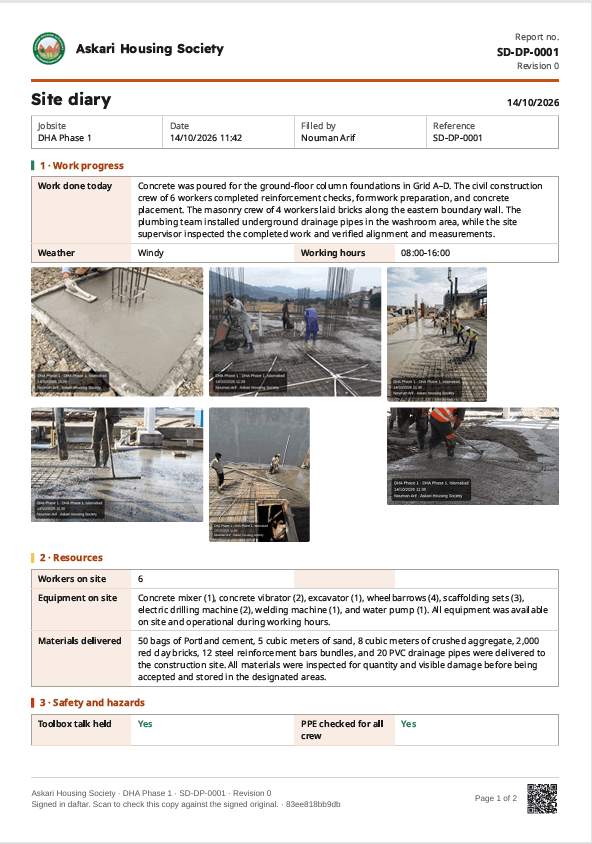
Daily reports, checklists and inspections that arrive the same day, on your letterhead.
Start with more than 30 reports used on real sites: daily progress, inspections, safety, deliveries and more.
Your logo, company details and colours appear on every report you send.
The site engineer, project manager and client's representative sign on the phone.
Anyone can scan the QR code on a report to check it matches the signed original. An edited copy fails the check.
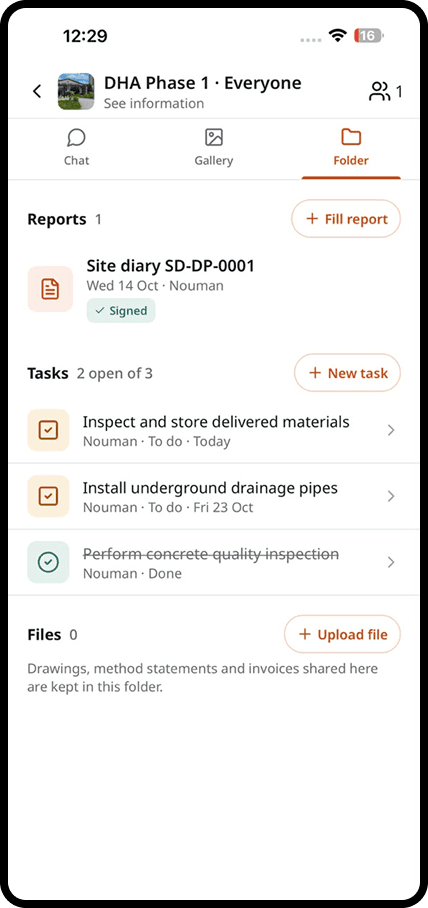
Files
Drawings, permits and photos for every site
One folder per site, with the latest version of every document.
Drawings, permits, reports and photos are organised by site, automatically.
Upload a new revision and everyone sees it. Older versions stay on record.
Photos are sorted by date and location, so you can build evidence for a claim in minutes.
Give a client or consultant access to the documents they need, and nothing else.
Planning
Tasks on the drawing, tracked until they are done
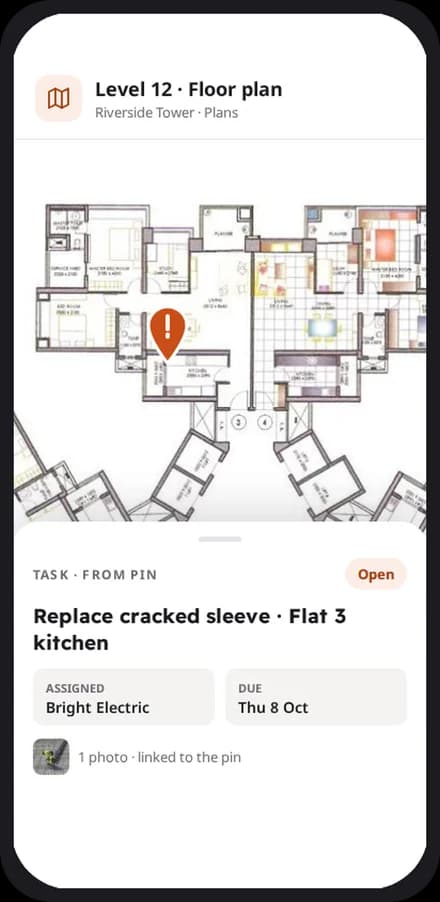
Turn a pin on the plan into a task with a name and a due date.
Tap the exact spot on the drawing where the work is needed.
Every task has one person responsible and a clear due date.
The person who finishes the task adds a photo, so you can see it was done right.
The office and the owner see overdue tasks across every site.
AI assistant
Less typing for your crews, less reading for your office
Translation, voice-filled reports and summaries, built into the app.
Every message and voice note can be read in the reader's own language, with one tap.
Say the day out loud. daftar fills in the report and marks what it filled, so you can check it.
Get a short summary of what you missed in a conversation since you last looked.
Take a photo of the delivery slip and the quantities are filled in for you.
Integrations
Works with the tools your office already uses
Send reports and data where your company needs them.
Every report can be exported in the format your office or client asks for.
Signed reports and photos can be copied to your company's cloud storage automatically.
Send a report or a photo pack to anyone, even if they do not use daftar.
Connect daftar to your ERP or project tools to keep data in sync.
Getting started
We set you up on your first site
Our team helps you create your sites, invite your people and set up your report forms. After that, we are one message away.
Bring the site and the office back together
Apps for iPhone and Android, and a web dashboard for the office.