Maps
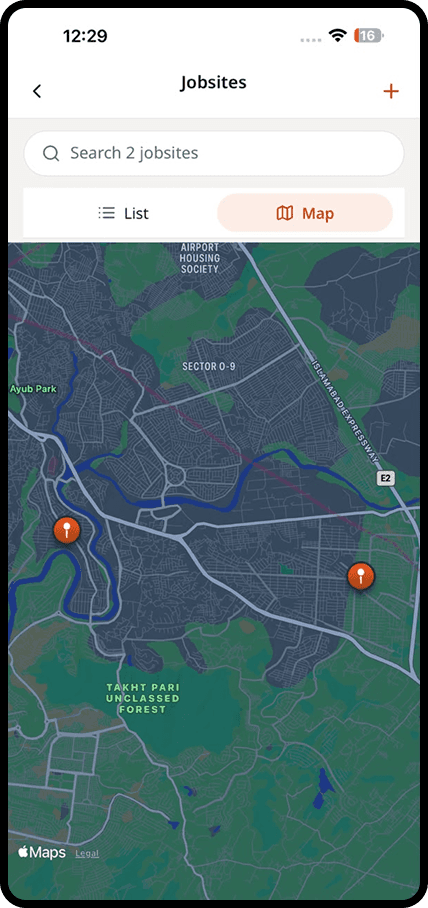
All your jobsites on one map
Every jobsite has a place on the map. Photos are pinned where they were taken, so the office can see what is happening on site without driving there.
How does it work?
Maps in four steps
Add your jobsites
Drop a pin for each site when you create it. Large sites like roads or networks can have several locations.
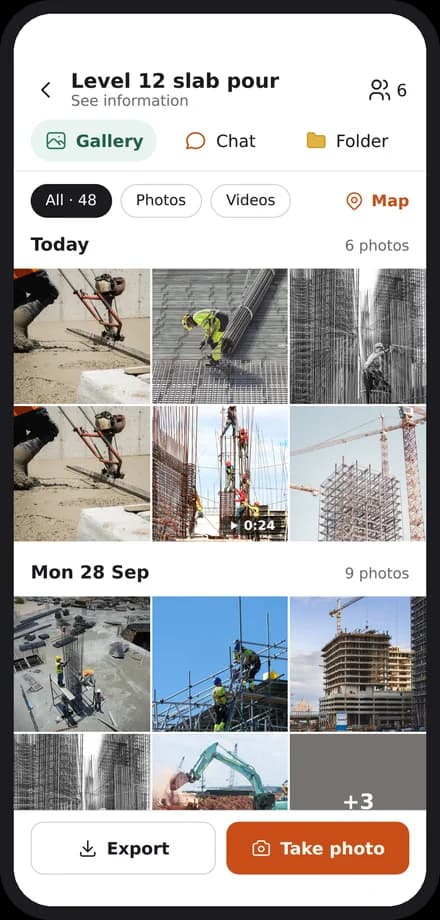
Photos land in the right place
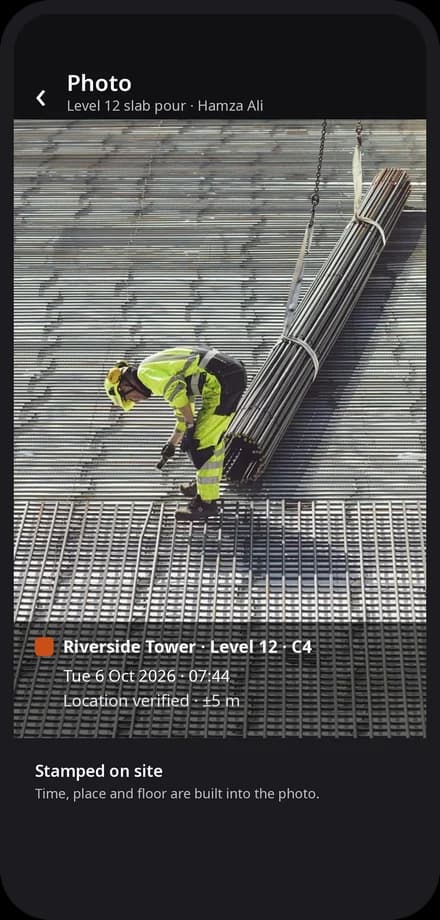
Every photo is stamped with time and location and appears on the map and in the site gallery.
See the day at a glance
The map shows which sites were active today and where new photos and reports came from.
Open the detail
Tap any site to open its conversations, plans and reports.
In detail
What you get with maps
All your jobsites on a map
See every active site at a glance, with how many conversations and photos each one has today.
Photos placed where they were taken
Each photo carries its location, so you know which building, floor or section it shows.
Open a site in one tap
Tap a site on the map to open its conversations, photos and reports.
Help new crew find the site
Share a site location with someone new, so they arrive at the right gate first time.
Explore
Discover the 7 tools

Getting started
We set you up on your first site
Our team helps you create your sites, invite your people and set up your report forms. After that, we are one message away.
Bring the site and the office back together
Apps for iPhone and Android, and a web dashboard for the office.