Reports
Reports filled on site and signed on the phone
Pick a ready-made report or build your own. Your team fills it on the phone, signs it on site, and the office receives a finished PDF on your letterhead.
How does it work?
Reports in four steps
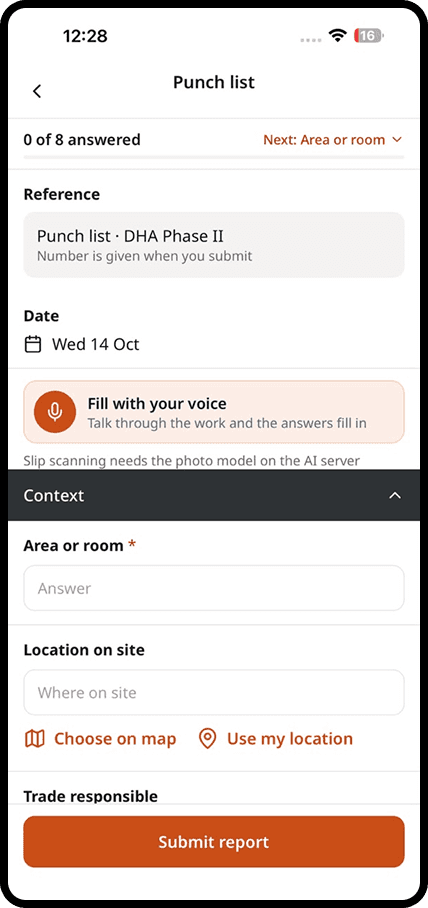
Choose a report
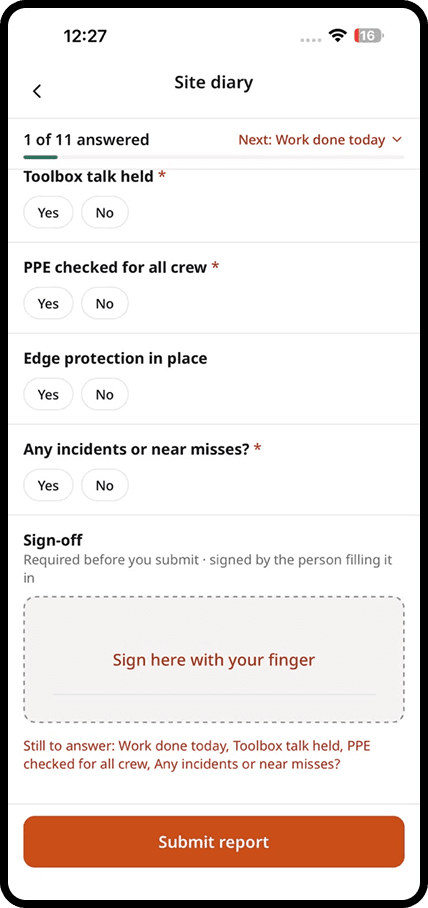
Open the report library and pick a template, or build your own form with the fields your company uses.
Fill it on site
Type, tap, take photos, or simply say the day out loud and let daftar fill the answers for you to check.
Sign it on the phone
Everyone who needs to sign does it on site. The report is locked once it is signed.
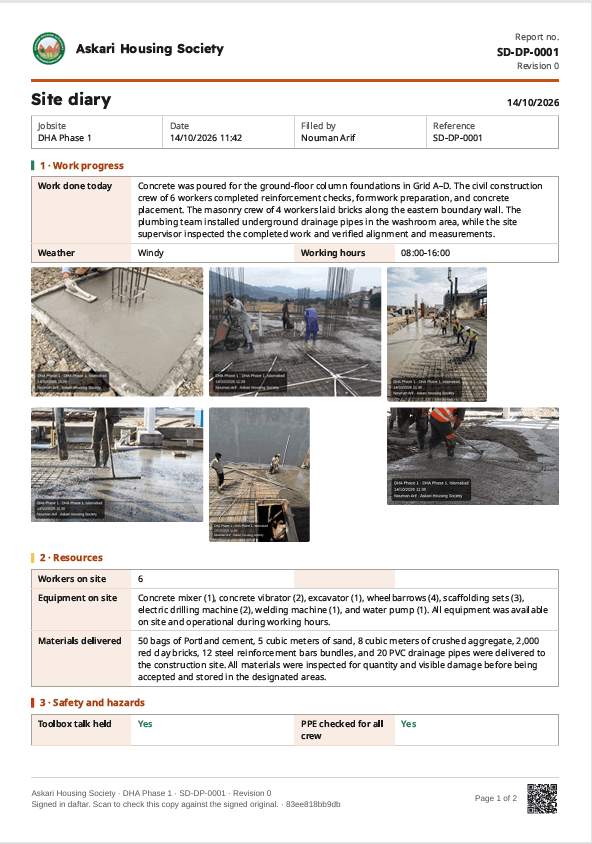
Send it on your letterhead
The office, client or consultant gets a PDF with your letterhead and a QR code that proves it was not changed.
In detail
What you get with reports
Ready-made templates
Start with more than 30 reports used on real sites: daily progress, inspections, safety, deliveries and more.
Your letterhead on every PDF
Your logo, company details and colours appear on every report you send.
Signatures on site
The site engineer, project manager and client's representative sign on the phone.
Verifiable with a QR code
Anyone can scan the QR code on a report to check it matches the signed original. An edited copy fails the check.
Explore
Discover the 7 tools

Getting started
We set you up on your first site
Our team helps you create your sites, invite your people and set up your report forms. After that, we are one message away.
Bring the site and the office back together
Apps for iPhone and Android, and a web dashboard for the office.