Free template · Excel and PDF
Daily progress report template for construction
The day's record of team numbers, work done, plant, materials and delays — the record you will need when a claim, a payment or an extension of time is argued. Download it free, or fill it on the phone in daftar.
Free to use. Change any field to match your contract.
Why it matters
A claim is only as strong as the records written that day
Many contracts in the Gulf and Pakistan are based on FIDIC forms. Under FIDIC, the contractor must keep records of its labour and equipment on site, and claims for time or money are judged on contemporary records — records made at the time of the event, or just after it.
Claims consultants list missing or poor records among the main reasons extension-of-time claims stall. A daily progress report, filled before the team leaves site, is the simplest contemporary record you can keep.
Source: Diales, Introduction to contemporary records. Check your own contract's record-keeping clauses.
What the template includes
Eight sections, in the order a site engineer fills them.
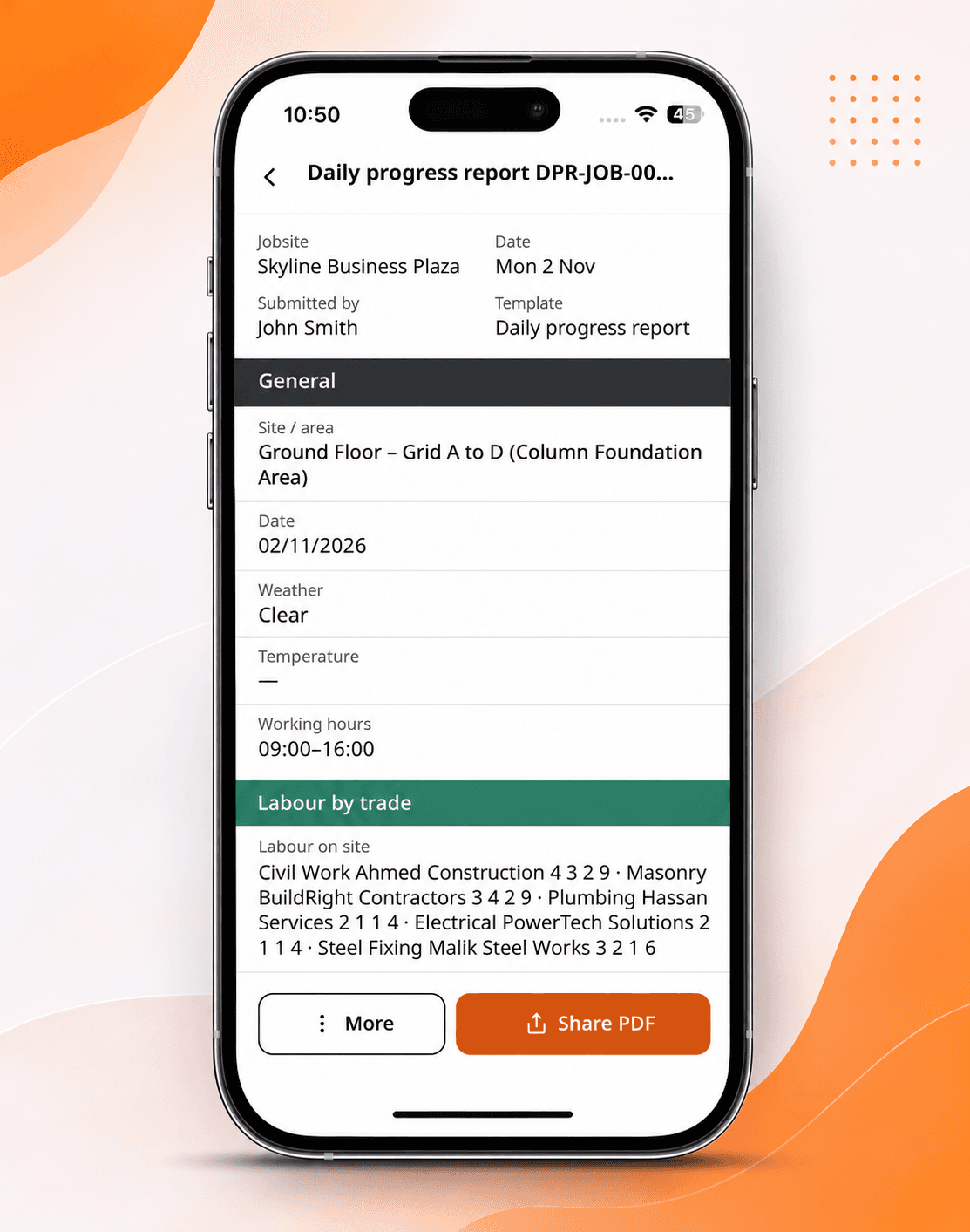
1. Date, site and weather
Include working hours. In the UAE, note the midday break (12:30–3:00 pm, 15 June–15 September) and any work allowed through it, such as concrete pours.
2. Team by trade
Headcount per trade and subcontractor, taken at the same time every day.
3. Work completed
Activity, location and quantity — “Level 3 slab, grid A–D, 45 m³ poured”, not “concreting”.
4. Plant and equipment
Working, idle or broken down, with hours.
5. Materials received
Supplier, item and quantity, matched to the delivery note.
6. Delays and instructions
What stopped work, the cause, hours lost, and any site instruction received.
7. Safety
Toolbox talk held, near misses and incidents.
8. Photos and sign-off
Photos with date and location, and who prepared and approved the report.
How to fill it in
- Fill it on site, before the team leaves. A report written the next morning is a memory, not a record.
- Write quantities, not activities. They are what the planner and the quantity surveyor check.
- Give every delay a cause and hours lost. “Waiting for consultant approval of WIR-112, 3 hrs.”
- Attach photos with date and location. An undated photo proves little.
- Get it signed and sent the same day. Keep every version.
The same report in daftar
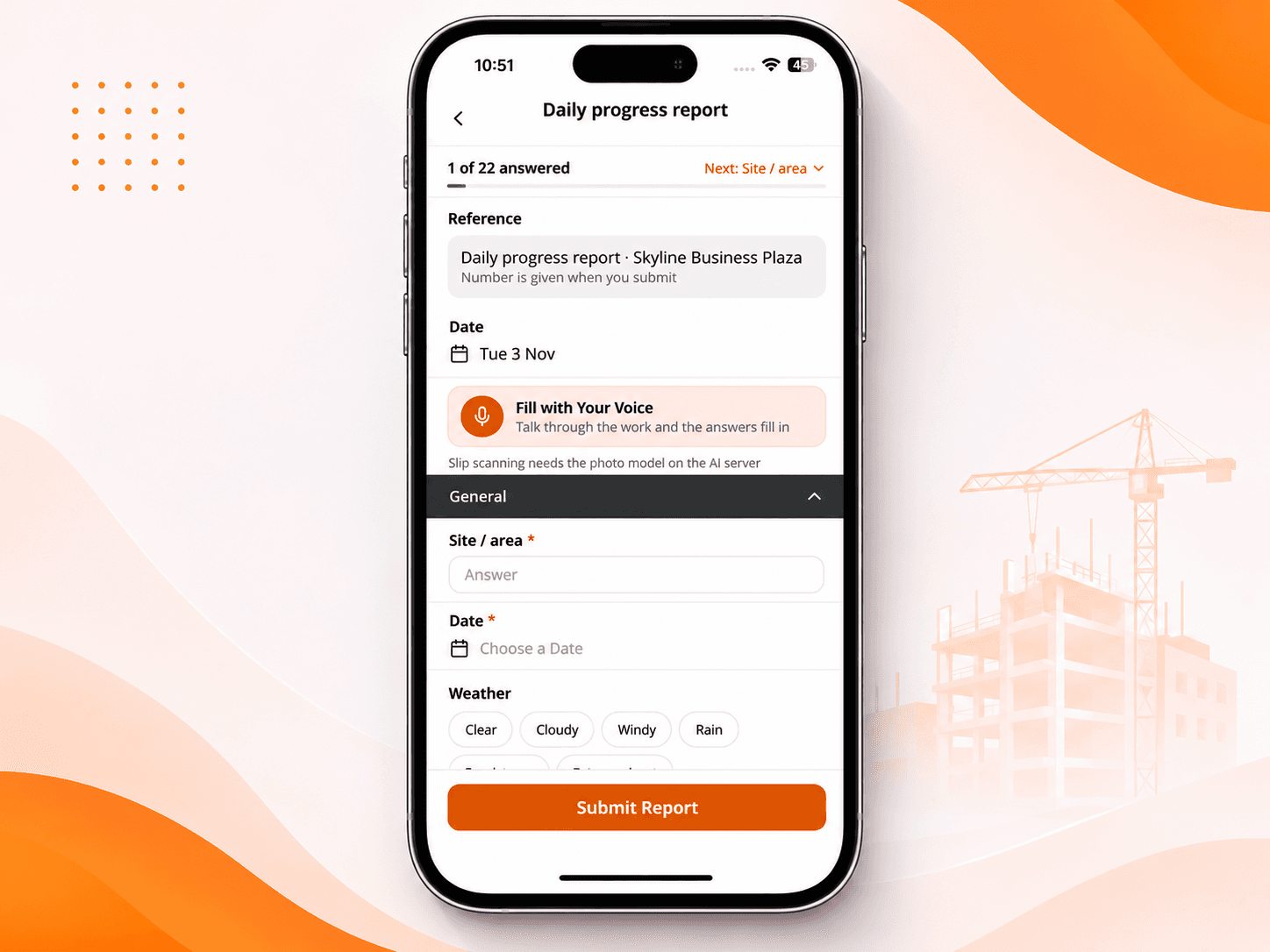
Filled on site. Signed on the phone. In the office the same day.
- Photos stamped automatically with time and place
- Fill it by speaking — in your own language
- Keeps working without signal, sends when back online
- A PDF on your letterhead, verifiable with a QR code
- The same format on every site
Template or app?
| Excel or PDF | daftar | |
|---|---|---|
| Filled | In the site office, often late | On the phone, at the workface |
| Photos | Sent separately on chat | Inside the report, stamped |
| Proof it's genuine | A signature on paper | QR code anyone can check |
| Finding it in a year | Folders and chat history | Search by site and date |
The complete guide
Writing a daily progress report people actually use
Most sites fill a DPR every day. Far fewer produce one that anyone reads, or that helps when a dispute starts six months later. The difference is not the template — it's what goes into it.
Who reads your DPR, and what they look for
| Reader | What they check |
|---|---|
| Project manager | Progress against the programme; what's falling behind and why |
| Planner | Delays with causes and hours lost, to update the schedule and support extension-of-time claims |
| Quantity surveyor | Quantities installed, daywork, plant hours, materials received |
| Consultant or client | Team numbers against the agreed resource plan, safety, instructions issued |
| Head office | The same numbers across every site, to compare and spot problems early |
Write for all five. If a section only makes sense to the person who wrote it, it isn't doing its job.
A filled example
Here's what the key sections look like when they're done well. The project and names are placeholders.
Header: [Project] · DPR-0147 · [Date] · 06:30–17:00 · Clear, 38°C · Midday break observed 12:30–15:00 except pour team (exempt work).
Team: Own staff 42 (engineers 3, foremen 4, labour 35) · [Subcontractor] steel fixers 18 · [Subcontractor] MEP 11 · Total 71.
Work completed: Level 5 slab, zone A, 62 m³ poured 05:30–11:40 · Level 5 columns C1–C14 rebar fixed (100%) · Level 2 blockwork, grid 3–6, 84 m² · Basement sleeves for drainage, 12 nos.
Plant: Tower crane TC-1 working 9.5 hrs · Concrete pump working 6 hrs · Excavator EX-2 idle (no work front).
Materials received: Rebar 16 mm, 24 t, DN-3381 · Blocks 200 mm, 3,200 nos., DN-3385.
Delays: Level 5 zone B pour postponed — WIR-0212 (rebar) inspection not attended by consultant, 4 hrs standby (8 steel fixers). Raised by email 09:12.
Safety: Toolbox talk 06:40 “Working at height”, 64 attended · 1 near miss (unsecured plank, level 4) — reported, corrected.
How to record a delay so it counts later
A delay entry is only useful if a stranger can tell what happened, who caused it and what it cost. Use one line per delay with five parts: what stopped, where, the cause, who was affected, and the hours lost.
| Weak | Strong |
|---|---|
| Rain, work stopped | Heavy rain 10:20–13:00; all external works stopped; 46 workers idle 2.7 hrs |
| Waiting for drawings | Level 6 slab rebar on hold — revised drawing S-506 Rev C requested in RFI-031 (12 days open); 10 steel fixers moved to level 2 |
| Crane problem | TC-1 hydraulic fault 14:10–16:30; lifting stopped; supplier technician attended 15:45 |
Common delay causes worth naming consistently: weather, late information or drawings, late inspection or approval, client or consultant instruction, material shortage, plant breakdown, labour shortage, authority or utility works, and access restrictions.
DPR, weekly report and site diary: what's the difference?
| Daily progress report | Weekly progress report | Site diary | |
|---|---|---|---|
| Purpose | Measure the day's output | Show progress against programme | Record events and instructions |
| Written by | Site engineer | Project manager or planner | Site manager |
| Sent to | PM, consultant, head office | Client and consultant | Kept on file; produced in disputes |
Many contracts expect all three. Templates for all three are in the template library.
Working hours in the GCC and Pakistan
Record the hours you actually worked — they explain output. In the UAE, outdoor work in direct sun stops from 12:30 to 3:00 pm between 15 June and 15 September, with exceptions such as concrete pouring (Gulf News). During Ramadan, private-sector working hours are reduced by two hours a day (Gulf News). In Pakistan, the monsoon from July to September brings rain stoppages that belong in the report with times and photos.
Questions
What is a DPR in construction?
A daily progress report: one day's record of team numbers, work done, plant, materials, delays and safety, prepared by the site engineer and approved by the project manager.
DPR or site diary — do I need both?
The DPR measures progress against the plan. The site diary records events, instructions and visitors. Many contracts expect both.
Can I add my company's own fields?
Yes. The Excel file is fully editable. In daftar, change any field, make it required, or add photos, signatures and calculations.
Can my team fill it in their own language?
In daftar, yes. Every report and voice note translates into the reader's language with one tap.
Who should approve the DPR?
The project manager or construction manager, the same day. Some contracts also require the consultant's countersignature — check your contract and add a second signature field if so.
Should subcontractors send their own DPR?
Yes — ask each subcontractor for headcount, work done and delays by the end of each day, then roll them into your report. In daftar, their foremen can send the numbers from the phone instead of on paper.
How long should we keep DPRs?
At least for the project and its defects liability period, and longer if a claim or dispute is possible. daftar keeps every report for the life of the project, and you can export them at any time.
Excel or PDF — which download should I use?
Excel if you'll fill it on a computer or want totals calculated. PDF if you'll print it and fill it by hand on site.
Bring the site and the office back together
Apps for iPhone and Android, and a web dashboard for the office.